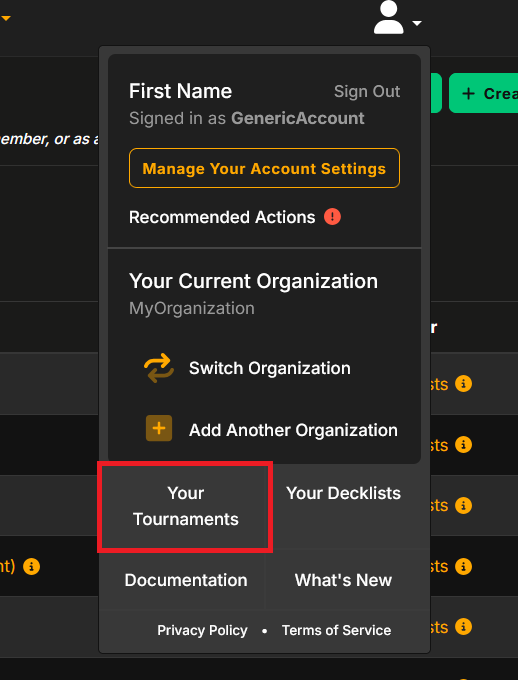
- After signing in to your Melee.gg account, click “Your Tournaments” by clicking on the profile icon in the top-right corner of Melee.gg.
- Click “+ Create a Tournament” in the top right corner of your screen.
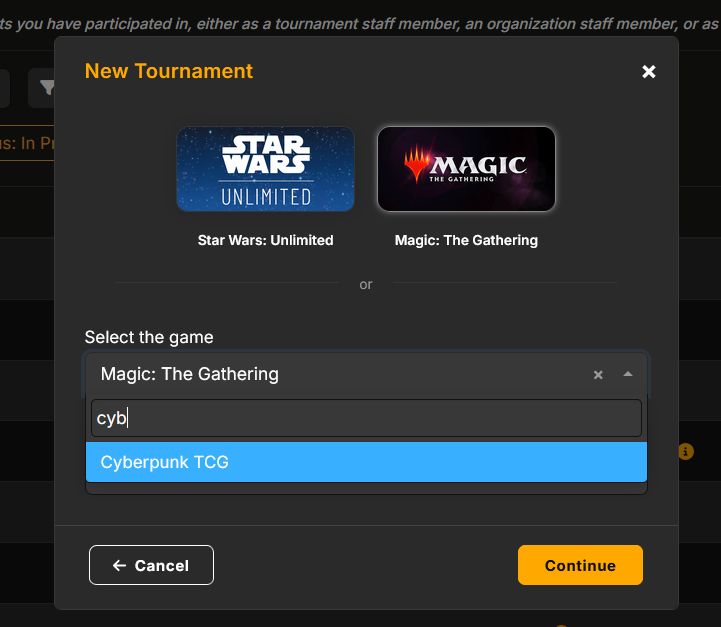
- Select the “Cyberpunk TCG” game and click “Continue.”
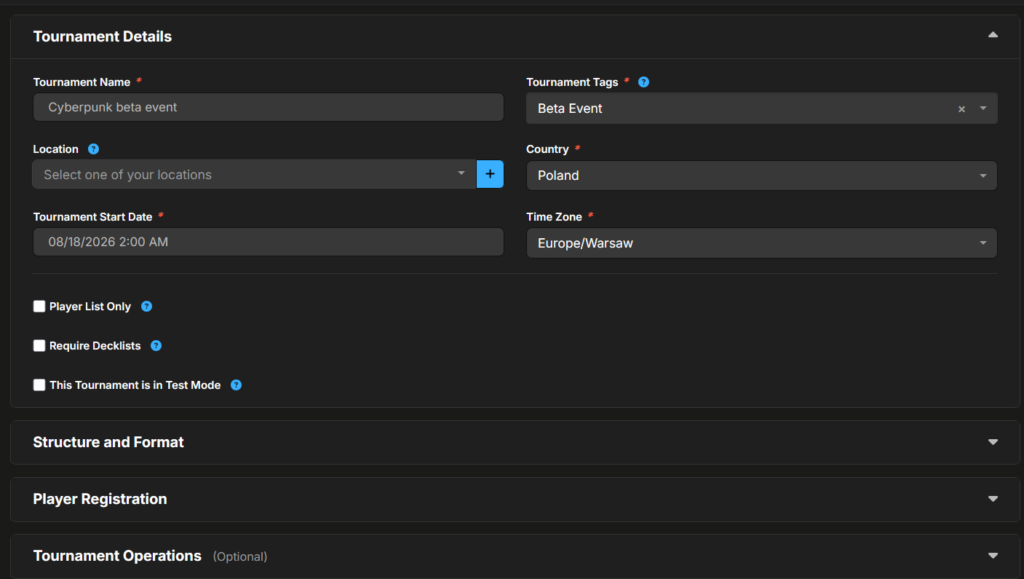
- Fill in relevant information under the “Tournament Details,” “Structure and Format,” and “Player Registration” tabs. Be sure to choose the tag “Beta Event.” The structure and format for the Beta Event is “Swiss only”, and “Sealed” with recommended number of 3 rounds. If you want your event to be visible in the “Find Events” section, you will need to add a location in “Tournament Details”. The remaining sections are optional. After entering all relevant details, click “Create Tournament.”
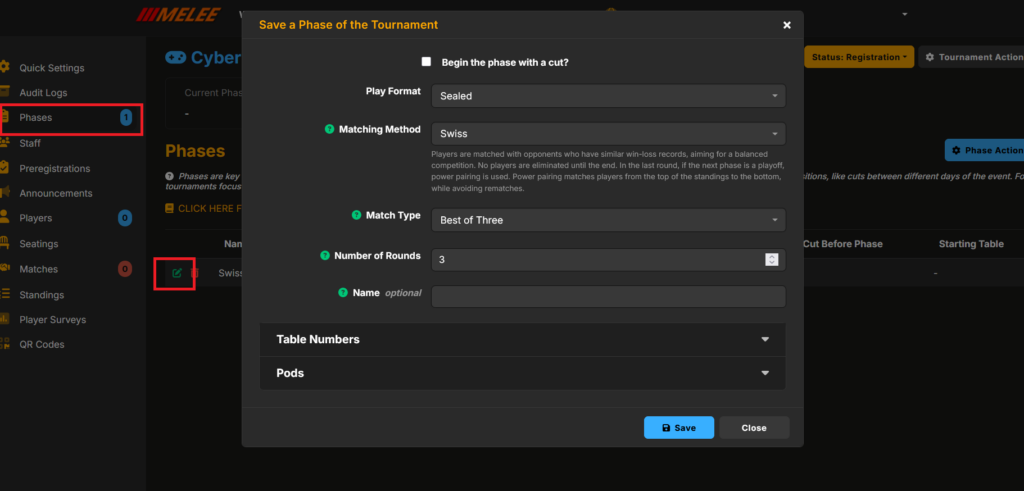
- You can also confirm your tournament structure and format within the “Tournament Controller” screen. Proceed to “Phases” on the left and verify the tournament structure there.
- Once the structure is confirmed, click on “Tournament Actions” in the top right of the screen and select “Publish Tournament.”
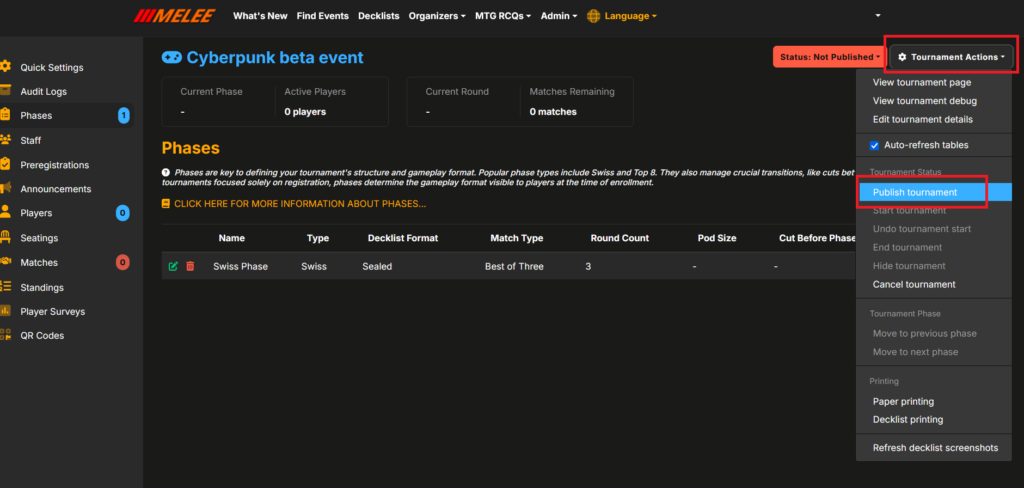
- Under “Tournament Actions”, click on “View Tournament Page” to access the public page ready to be shared on your social channels and with players.
- For more information about the details and advanced options on tournament creation, you can refer to help.melee.gg or contact the customer support team via email at contact@melee.gg or on the Melee Discord Server.