
Under our new Stripe Express system organizers will create their own “mini” Stripe accounts that are tied to their organization in Melee. This will mean you have more control and visibility into payments. It also means faster payouts! You will see the money in your Stripe Express account from each entry once it clears the banks. There’s no need to wait! You can setup all your payout options directly through the Stripe Express account.
Please note: The Stripe account setup is fairly extensive and may take ~10 min. You will need your business and deposit account information available. You will not be able to publish an event with an entry fee through Melee without setting up your Stripe Express account.
How to CREATE and LINK your new Stripe Express Account:
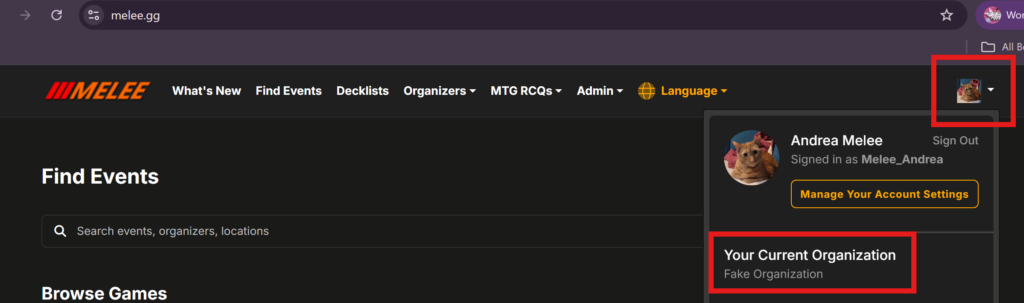
- Navigate to your Organization Dashboard
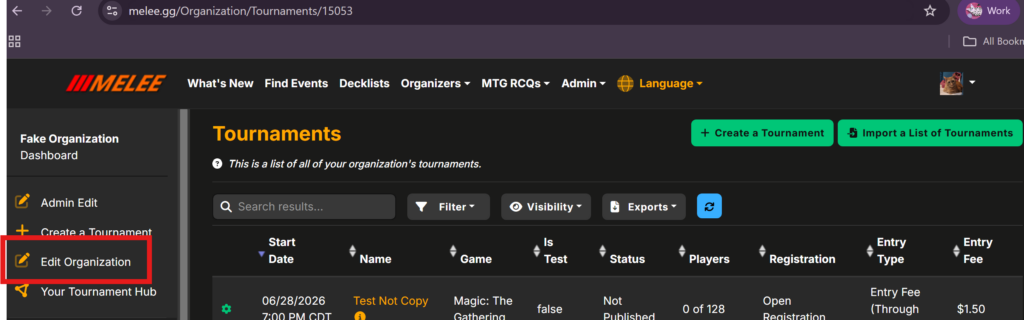
- Click Edit Organization on the left side
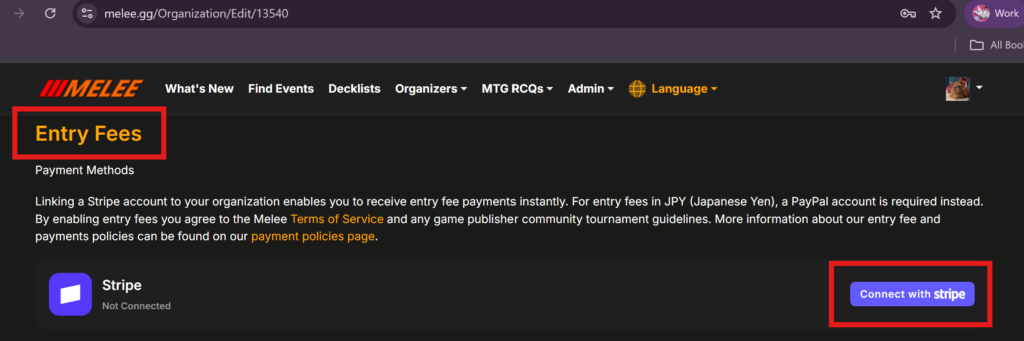
- Scroll down to the Entry Fees section
- Click on “Connect with Stripe” button
- Follow the prompts from Stripe to create your account!
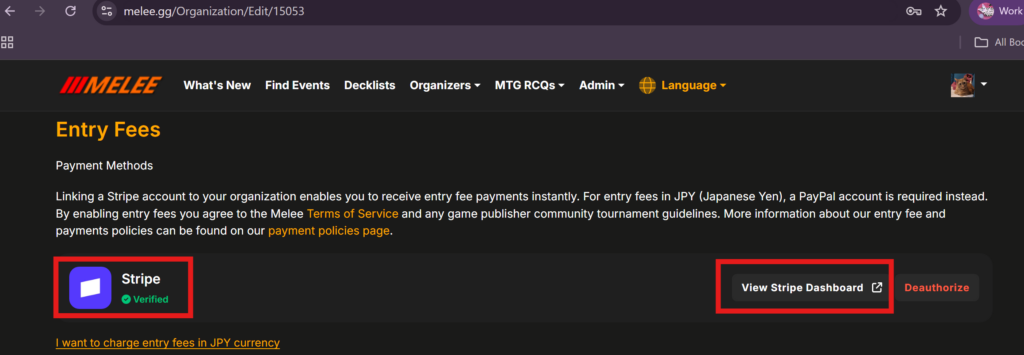
- Once your account is verified, it will show like this, allowing you to see your Stripe Dashboard.
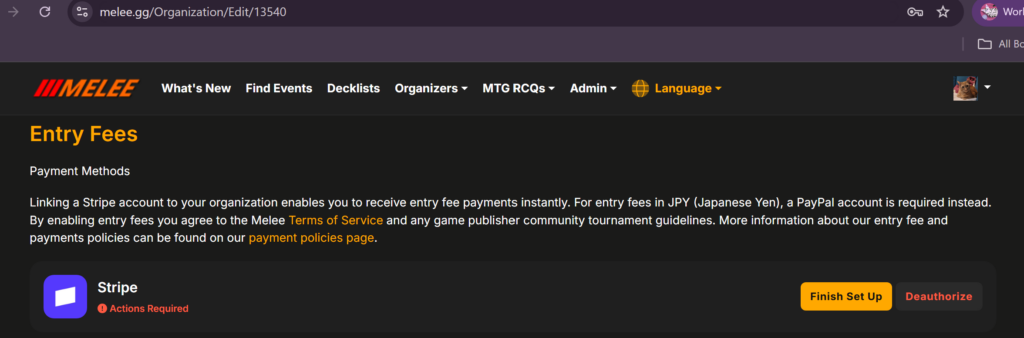
- If you are unable to finish creating the account or close out accidentally, navigating back to the same area will ask you to finish setup or deauthorize your account.
Note: You will not be able to use PayPal for any new events, unless you need to take payments in Japanese Yen.
If you have any questions, feel free to email us at contact@melee.gg.